AI music generators have made it easier than ever to create original songs from a simple text prompt. But generating the song is only the beginning. What happens if you want to remove the vocals, mute the drums, trim a section, or combine two songs into one?
That's where AI stem separation comes in.
Many music platforms either don't offer stem separation at all or lock it behind premium subscriptions. Even when stems are available, they're often limited to downloads with little or no editing capability.
Melogen Studio takes a different approach. It lets you generate an AI song, separate it into editable stems, and fine-tune every track—all without paying extra for editing.
Here's how it works.
Step 1: Generate Your AI Song for Free
Every new Melogen Studio account includes 1 free credit, so you can try the complete workflow without entering your credit card.
Simply describe the music you want to create, whether it's a cinematic soundtrack, a rock anthem, a podcast intro, or a pop song with vocals.
Within minutes, Melogen Studio generates an original track.
Unlike many AI music generators, your song isn't just downloaded and forgotten—it is automatically saved to your personal library, ready for editing whenever you need it.
Step 2: How Do You Open Your Song in the Studio?
Once your song appears in My Library, simply click the Open in Studio button.
There's no need to download files, upload them again, or move between different software.
Your project opens instantly inside Melogen Studio's built-in editor.
This seamless workflow saves time and makes it much easier to continue working on your music.
Step 3: How Can You Edit Your Music Like a Professional?
Before even separating the stems, Melogen Studio gives you several editing tools to improve your song.
You can:
- Cut unwanted sections
- Copy audio
- Paste selections
- Insert silence
- Fade audio in
- Fade audio out
- Remove selected sections
- Save your changes anytime
These editing tools are designed to be simple enough for beginners while still giving experienced creators the control they expect.
Step 4: Separate Your Song into Individual Stems
Now comes the feature that makes Melogen Studio stand out.
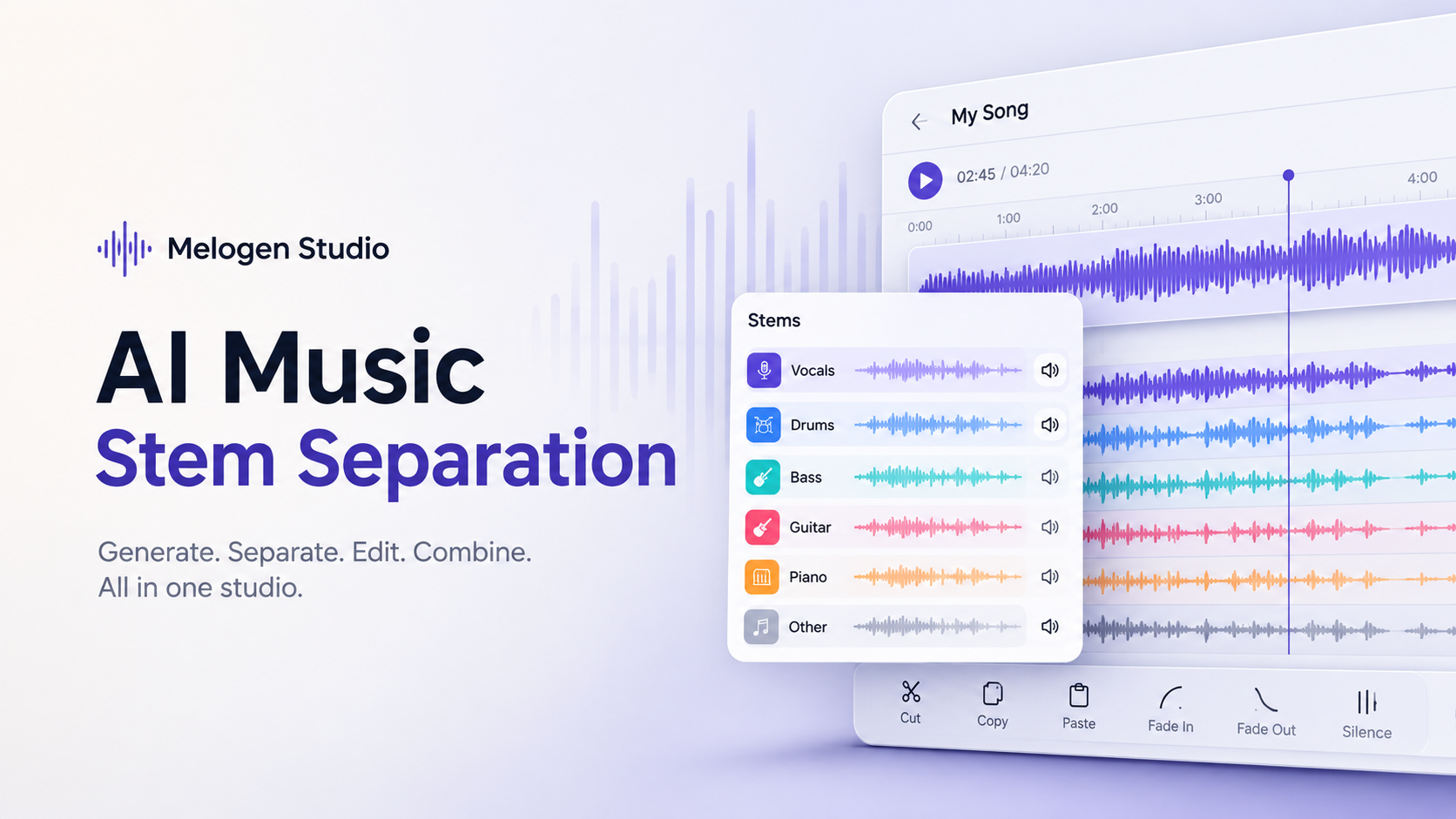
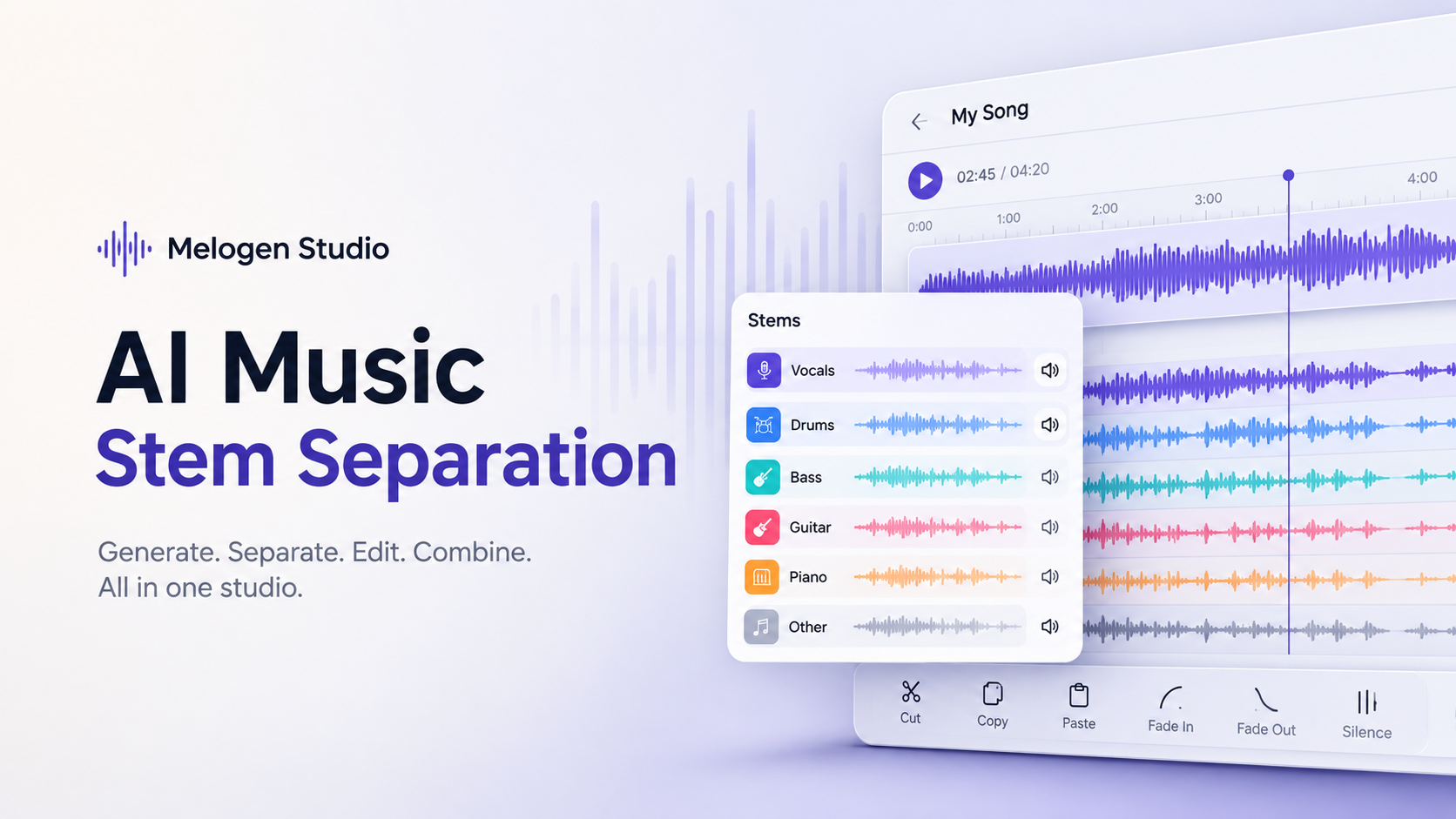
Click the Separate Stems button, and your generated song is automatically divided into individual tracks.
Depending on the song, you'll typically get separate tracks for:
- Vocals
- Drums
- Bass
- Guitar
- Piano
- Other Instruments
Instead of editing one mixed audio file, you now have complete control over every part of your music.
Edit Every Instrument Independently
Once the stems have been created, each instrument becomes its own editable track.
That means you can:
- Remove vocals entirely
- Mute drums
- Solo the guitar
- Lower the piano volume
- Copy only the bass section
- Cut individual instruments
- Paste sections into another location
- Add fade-ins and fade-outs
- Insert silence into specific stems
- Delete unwanted parts without affecting the rest of the song
Because every instrument is separated, your edits remain clean and precise.
Can You Listen to Individual Stems?
Sometimes you only want to hear one instrument.
Melogen Studio lets you solo any track while muting the others.
Want to hear just the vocals?
One click.
Need to isolate the drums?
Just mute everything else.
This makes it much easier to understand how your song is structured or prepare stems for remixing and production.
Build Larger Projects by Adding More Tracks
The editor isn't limited to one generated song.
Using the + button inside the Studio, you can add another track to your existing project.
This opens up countless creative possibilities.
You can:
- Combine two AI-generated songs
- Layer multiple instrumentals
- Extend an intro
- Create longer background music
- Build mashups
- Mix different genres together
Instead of treating each generation as a separate file, Melogen Studio lets you build complete music projects inside one workspace.
Export or Save Your Work
After editing your music, you have two options.
You can:
- Save the updated version back to your library
- Export the finished song for use in your own projects
Everything stays organized inside your account, making it easy to revisit and continue editing whenever inspiration strikes.
The Best Part? Editing Is Completely Free
This is where Melogen Studio separates itself from many competitors.
Once you've generated your song, every editing feature inside the Studio is completely free.
That includes:
- Stem separation
- Audio editing
- Cut
- Copy
- Paste
- Fade In
- Fade Out
- Insert Silence
- Removing selected sections
- Muting stems
- Soloing instruments
- Saving projects
- Exporting the final result
You don't pay anything extra to use these features.
The only thing that requires credits is generating a new song.
Everything after that is included.
How Much Does Melogen Studio Cost?
Melogen Studio keeps pricing simple.
Free Plan
- 1 free credit
- No credit card required
Starter Plan
- 40 Credits
- $5
- About $0.13 per song
Pro Plan
- 100 Credits
- $10
- About $0.10 per song
Unlike many AI music platforms that require ongoing monthly subscriptions for advanced workflows, Melogen Studio lets you pay a small amount for song generation while giving you unlimited access to the built-in editing and stem separation tools.
Why Creators Love This Workflow
Most AI music generators stop after producing the song.
Melogen Studio keeps the creative process going.
You can generate music, save it automatically, edit it professionally, separate every instrument, combine multiple tracks, export the finished version, and continue improving your project—all without switching to another application or paying additional editing fees.
Whether you're creating music for YouTube videos, podcasts, games, films, advertisements, or personal projects, having full control over every instrument can dramatically improve your final result.
Conclusion
AI music generation is only half the creative process. The real value comes from being able to refine, reshape, and customize your music after it's created.
Melogen Studio combines AI-powered song generation with a fully integrated editing studio and free stem separation, giving creators complete control over their music from the first prompt to the final export.
If you're looking for an AI music platform that doesn't stop at generation, Melogen Studio offers one of the most complete creator workflows available today—without charging extra for the editing tools that bring your music to life.